Within about an hour of unpacking, the DWARF 3 can be collecting real data on a galaxy. Most of the result comes from three setup choices: a level base, a correct polar alignment, and dark frames that match the session. The DWARF handles pointing, focus, and stacking. It does not handle the physics, so the order below is built to get those three things right on the first try.

Here is the plan, start to finish.
First session at a glance
Exposure   30 seconds
Gain       60
Mode       EQ, polar aligned, deviation 1 degree or less
Filter     Astro
Darks      20 frames at 30 seconds, gain 60
Target     M101 in Ursa Major, a northern hemisphere example
Run time   1 hour or more
Two pages on the site sit alongside this walkthrough. The Settings Guide is the fast exposure and gain reference, and the Settings and Calibration Guide covers the reasoning behind subs, gain, dark frames, and filters in depth. Both are worth keeping open alongside the steps below.
1. Set up on a level tripod
Mount the DWARF 3 and level the tripod using the built in bubble level. This is not cosmetic. The plate solving and the EQ alignment both assume a level base, and a tilted tripod shows up later as an alignment that refuses to converge. Center the bubble before anything else.
2. Point the logo side south
Rough orient the body before powering on. In the northern hemisphere the back of the DWARF, the side without the logo, points toward the north celestial pole. That puts the logo and the lenses roughly facing south. This is not aiming at a target yet. It sets the rotation axis in the right direction so the guided alignment in step 6 has less work to do and finishes faster. A compass, or a phone compass app, is enough for this.
(Southern hemisphere flips this: logo toward north, back toward the south celestial pole.)
3. Wait for real darkness
Deep sky work needs astronomical darkness, not just sunset. When it arrives depends on latitude and season, and in summer it comes late, so look up the local astronomical twilight time and plan around it. Twilight sky glow lifts the background and eats faint detail, which hurts most on a galaxy where the outer arms are already dim.

4. Power on and let it sit for 20 minutes
Turn the DWARF on and leave it alone for about 20 minutes before capturing anything. The IMX678 sensor is uncooled, so its temperature tracks the surrounding air plus its own internal heat. Twenty minutes lets it settle close to ambient. The reason this matters comes next: the dark frames captured next have to match the temperature of the light frames captured later. Skip the settle and the darks describe a sensor that was still warming up.
5. Take 20 dark frames at 30 seconds, gain 60
While the sky finishes darkening, build the calibration set. Cap the lens, open the dark frame capture in Deep Sky mode, set it to 30 seconds and gain 60, and shoot 20 frames. At 30 seconds each that is 10 minutes. Twenty is the working minimum; 30 or more gives a cleaner master dark if time allows. The rule to hold onto: darks must match the exposure length and gain of the lights, and the temperature has to be close. That is the whole point of the wait in step 4.
6. Polar align with the app’s wizard
Turn the rough orientation into a precise one. In the DWARFLAB app go to Deep Sky, then Settings, then EQ Mode, and follow the wizard. It displays the latitude and steps through tilting and rotating the body until the deviation drops. The app accepts up to 4 degrees, but that is too loose. Push the deviation to 1 degree or less. That gap is the difference between round stars and short star trails at 30 second subs. It is also not optional: a firmware update made EQ mode mandatory for any exposure of 30 seconds or longer, so the session below cannot run without it.
7. Pick a high target and run it for an hour or more
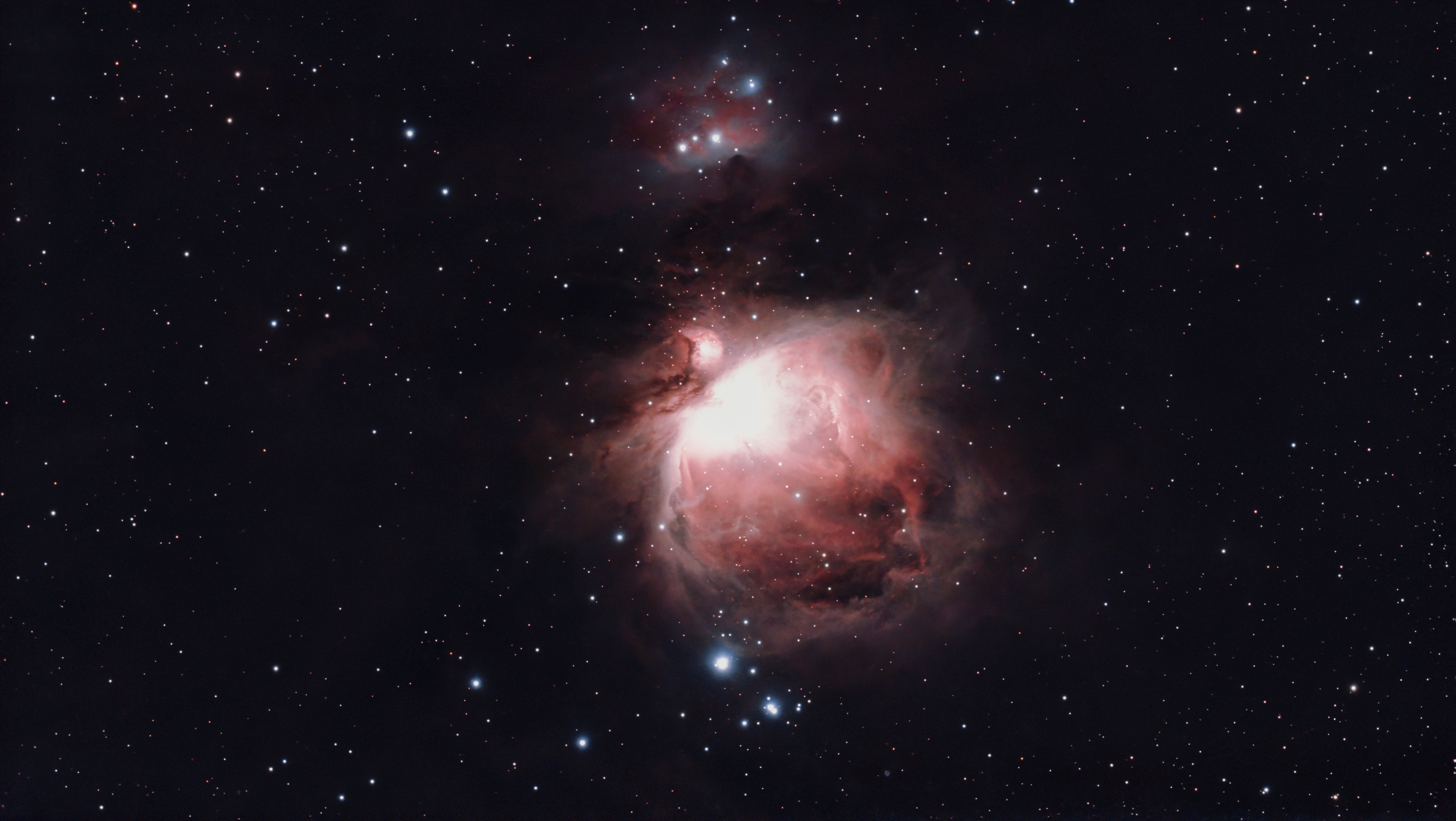
Open the Sky Atlas and choose something that sits high above the horizon. In the northern hemisphere, M101, the Pinwheel Galaxy in Ursa Major, is a strong first target. It presents its full disk to the camera, so the spiral structure faces out rather than edge on, and it rides high on spring and summer evenings. That keeps it well placed for a long run. Whatever the target, an altitude above roughly 30 degrees images best, so confirm it is up for the location and date with a sky app. Further south M101 stays low or never rises, so a galaxy or nebula that clears 30 degrees is the better pick.
Tap GoTo and let the telescope find and lock on. After the GoTo completes, wait 30 seconds before starting the capture so the tracking motor settles. Then set 30 second subs, gain 60, the Astro filter, and let it run for at least an hour.
This is where the payoff shows up. The DWARF live stacks as it works, so the galaxy builds on screen frame by frame. The core comes up first, then the brighter arms, then more structure as the frames pile on.

What “wow” actually looks like on night one
A realistic first session is the spiral form emerging on screen inside the hour, not a finished magazine print. The first stacked image is a measurement of incoming light, and it only looks photographic after enough signal accumulates and the image is stretched. An hour at 30 seconds is a strong start. Six hours, like the image above, is where the faint outer arms and the small background galaxies in the field start to appear. The DWARF adds more nights to the same target directly in the app without reprocessing from scratch, so a stack can be deepened over several sessions.
For processing afterward, the file the DWARF saves is linear and flat until it is stretched. The Settings and Calibration Guide on the site covers that step. FITS Studio, a free browser app I wrote my self, offers a post processing learning solution built around the DWARF’s stacked FITS files. You can learn and experiment with how stretching works. It works with Seestar linear stacks as well and it doesn’t replace SIRIL or PixInsigths. I wrote it to help me learn without having to install any software. I made it available for free so others can learn too.
A bonus: turn the image into a flythrough
This last part is optional, more play than process. DeepSkyDrift is an app I built to animate my own captures. Mostly because I wanted to and I could. It reads the stars in a stacked frame and moves a virtual camera through them, so the flythrough is made from real recorded stars rather than an AI generated scene. Nothing is painted in. The motion comes from the depth your data and no image ever leaves the browser memory. All processing is done locally. Check it out at: deepskydrift.dwarfastro.com.
More on the site
Start with the two guides that pair with this one: the Settings Guide for the exposure and gain presets, and the Settings and Calibration Guide for the full detail. From there, the DWARF 3 instrument explainer and the EQ mode walkthrough go deeper. The full M101 session writeup is here, the rest of the sessions are indexed here, and FITS Studio handles processing.
Clear skies!
AK